ThutoTime
Live lessons that hold up on shared devices and poor connections.
Read the case study: how it was designed →
- Role
- Lead UI/UX Designer, Product Design Consultant
- Platform
- Tablet, mobile and web
- Software
- Figma, Photoshop
- Design system
- Component sheet with colour-coded lesson tags, activity tiles and lesson cards
The problem
Students and teachers in remote and underserved regions of Africa, where internet access is limited or unreliable, needed a structured way to run distance education.
Features
- ·Interactive prototype of live lessons, the timetable and assessments on tablet and phone, A/B tested before the final UI
- ·Live video lessons with chat and raised hands
- ·Timetable, attendance and performance
- ·Assessments and a resource library by subject
- ·Teacher console with learner management
- ·Results shared with Glimpse, Orbitra and Sunlight: retention up 20–35%, and conversion improved by up to 50%
Approach
- 01
Discovery
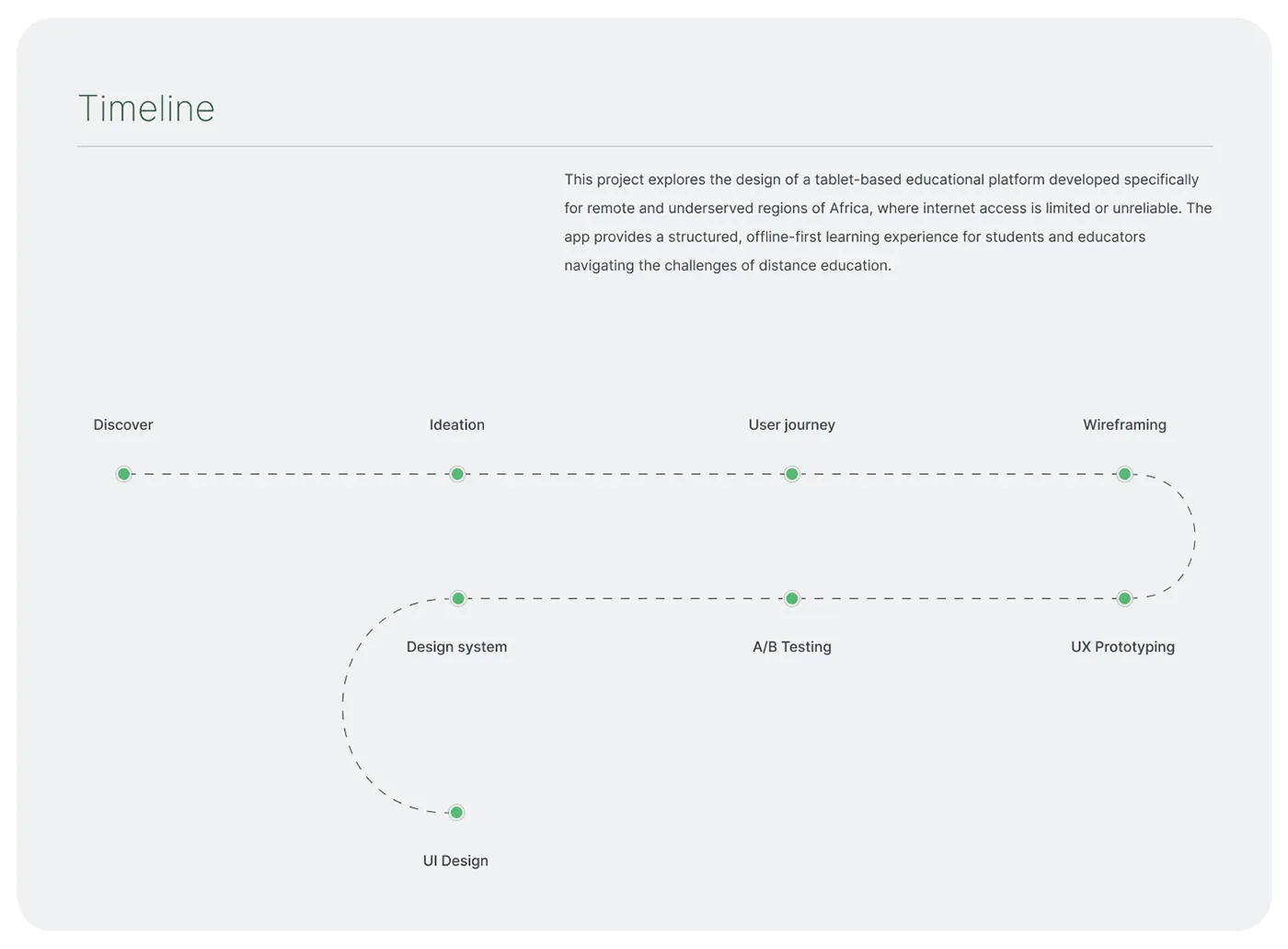
ProblemIn remote regions of Africa, internet access is limited or unreliable, so distance learning keeps breaking down.
SolutionFramed the product as an offline-first tablet platform, giving students and teachers a structured routine that doesn’t depend on a steady connection.
- 02
Wireframes
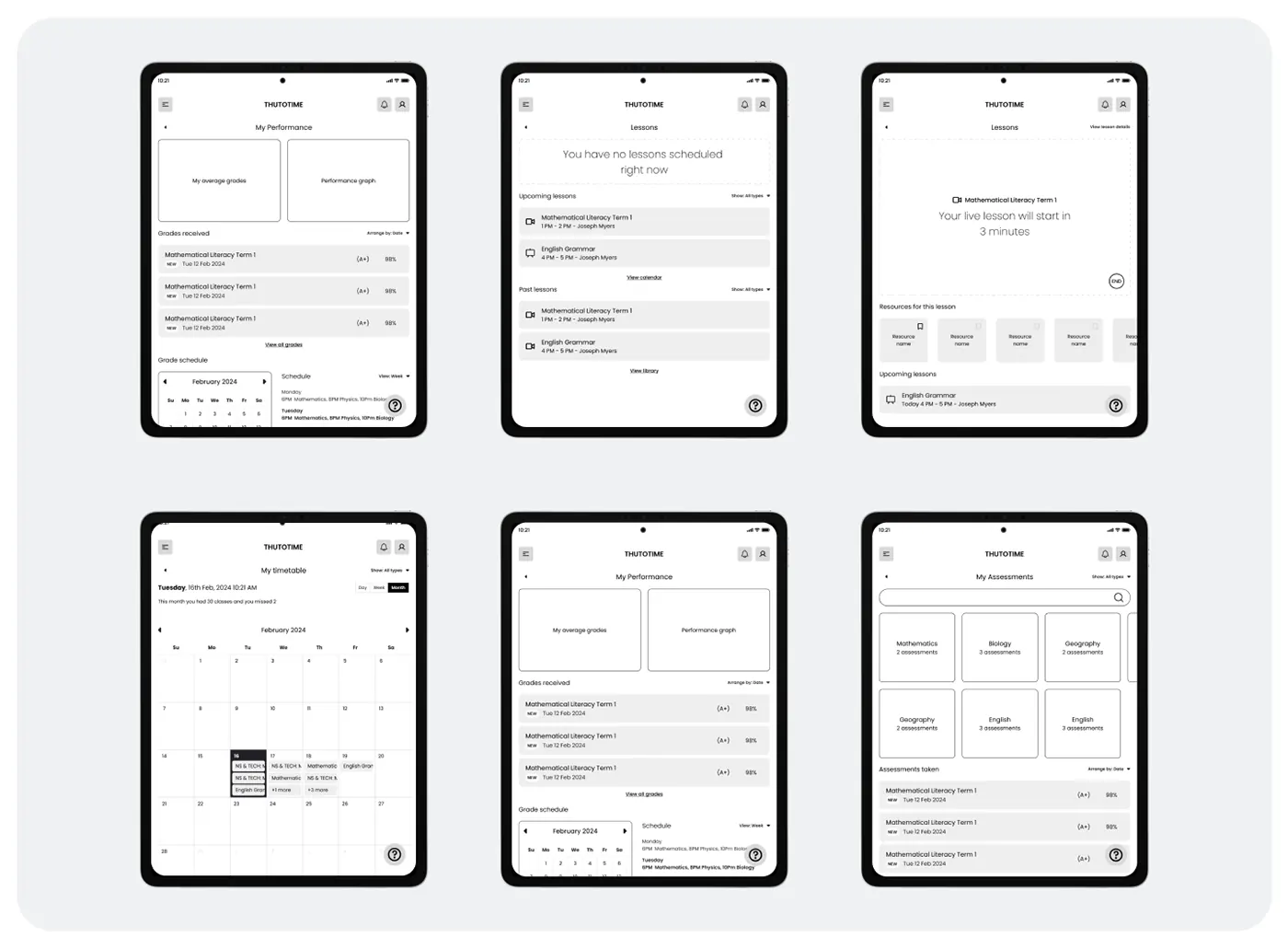
ProblemA student’s day is spread across lessons, grades, assessments and a timetable.
SolutionWireframed tablet screens for Lessons, My timetable, My performance and My assessments, including an empty state and a countdown before a live lesson.
- 03
Visual system
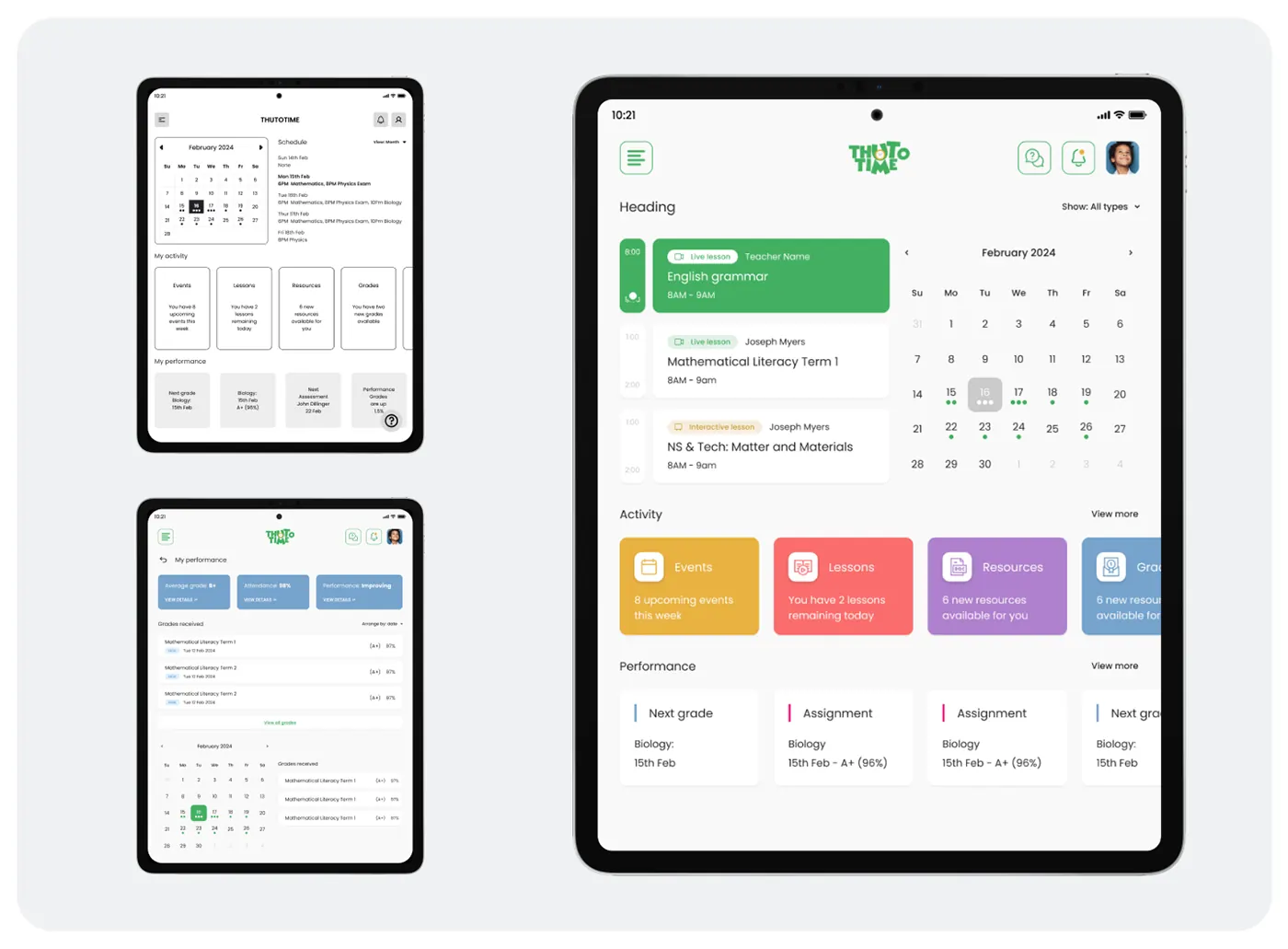
ProblemLive lessons, interactive lessons, resources, grades and assessments had to be told apart at a glance.
SolutionBuilt a component sheet with colour-coded tags, lesson cards and activity tiles for events, lessons, resources and grades.
- 04
Live lesson
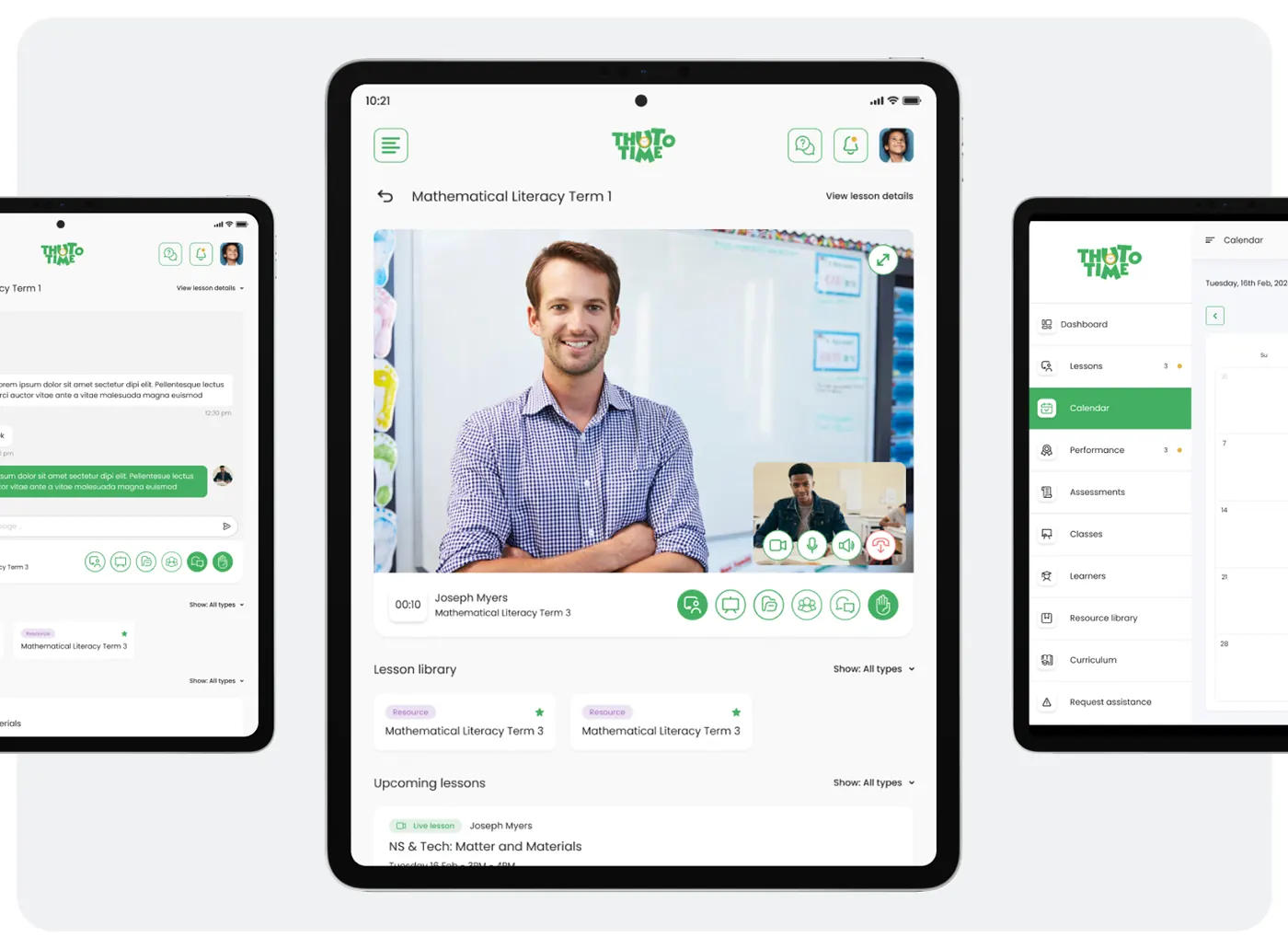
ProblemStudents needed to take part in a lesson, not just watch it.
SolutionThe live screen pairs teacher video with camera, mic, chat and raise-hand controls. The lesson library and upcoming lessons sit directly below.
- 05
Phone layouts
ProblemThe tablet layout also had to work on smaller phone screens.
SolutionReflowed the same components into phone screens for timetable, performance, resource library by subject and account settings.
- 06
Teacher console
ProblemTeachers needed to schedule lessons and follow each learner from one place.
SolutionA web console shows the day’s lessons with a Schedule new lesson action. During a lesson, a side panel lists learners with tests, results and curriculum units.



Design library
- Lesson green#43B061Live lessons, actions
- Events amber#E8B241Events, alerts
- Lessons coral#FA6D6DLessons, end lesson
- Resources violet#AF80CCResource library
- Grades blue#76A3CCGrades, performance
- Paper#F9F9F9Page background
- Display · 28/500Mathematical Literacy Term 1
- Title · 20/500English grammar
- Body · 14/400You have 2 lessons remaining today
- Caption · 11/500Live lesson
Lesson type tag
Colour-coded pill that marks what a lesson or item is.
- Pill
- Type icon
- Label
Timed lesson card
A lesson on the hourly rail: type, teacher, subject and time slot.
8AM - 9AM
8AM - 9AM
8AM - 9AM
8AM - 9AM
- Lesson slot
- Time rail
- Progress knob
- Card
- Type tag
- Teacher
- Countdown
- Class name
- Time
8AM - 9AM
8AM - 9AM
8AM - 9AM
Activity tile
One colour per area: events, lessons, resources and grades, with a count.
8 upcoming events this week
No events this week
You have 2 new grades available
No new grades yet
8 upcoming events this week
- Tile
- Icon box
- Area icon
- Title
- Summary
8 upcoming events this week
No events this week
You have 2 new grades available
No new grades yet
Live lesson control bar
Sits under the live video: timer, teacher and class, and the lesson tools.
- Bar
- Lesson timer
- Teacher and class
- Tool set
- Active tool
- Raise hand
- End lesson