Designing a live-lesson app for schools with poor connections: ThutoTime
Live lessons that hold up on shared devices and poor connections. How the education mobile app was designed, phase by phase.

Live lessons that hold up on shared devices and poor connections.
Project at a glance
- Product: ThutoTime, an education mobile app
- Role: Lead UI/UX Designer, Product Design Consultant
- Platform: Tablet, mobile and web
- Software: Figma, Photoshop
- Design system: Component sheet with colour-coded lesson tags, activity tiles and lesson cards
The challenge
Students and teachers in remote and underserved regions of Africa, where internet access is limited or unreliable, needed a structured way to run distance education.
The UX approach
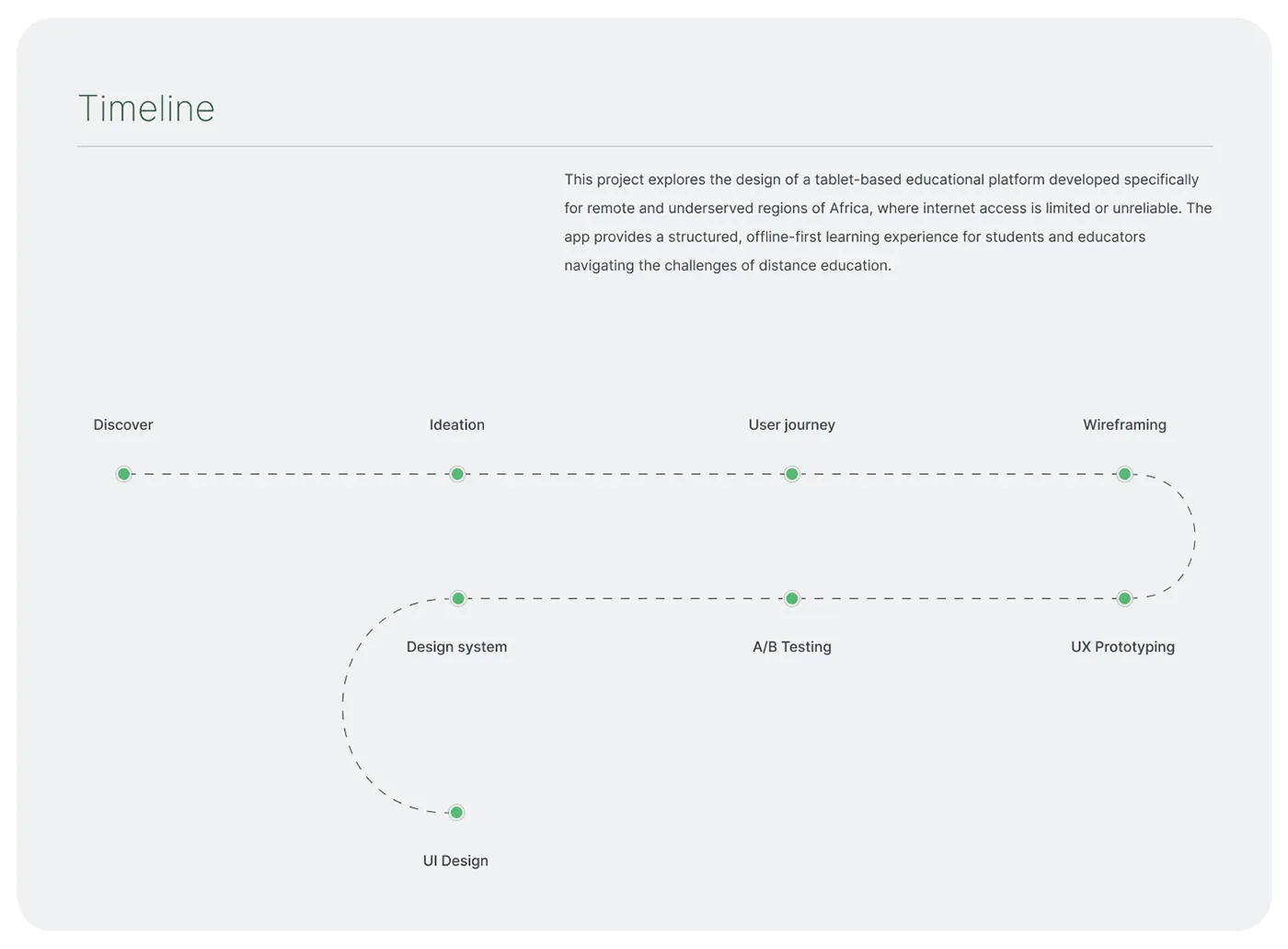
The work moved through 6 phases: discovery, wireframes, visual system, live lesson, phone layouts and teacher console.
1. Discovery
The problem. In remote regions of Africa, internet access is limited or unreliable, so distance learning keeps breaking down.
The solution. Framed the product as an offline-first tablet platform, giving students and teachers a structured routine that doesn’t depend on a steady connection.
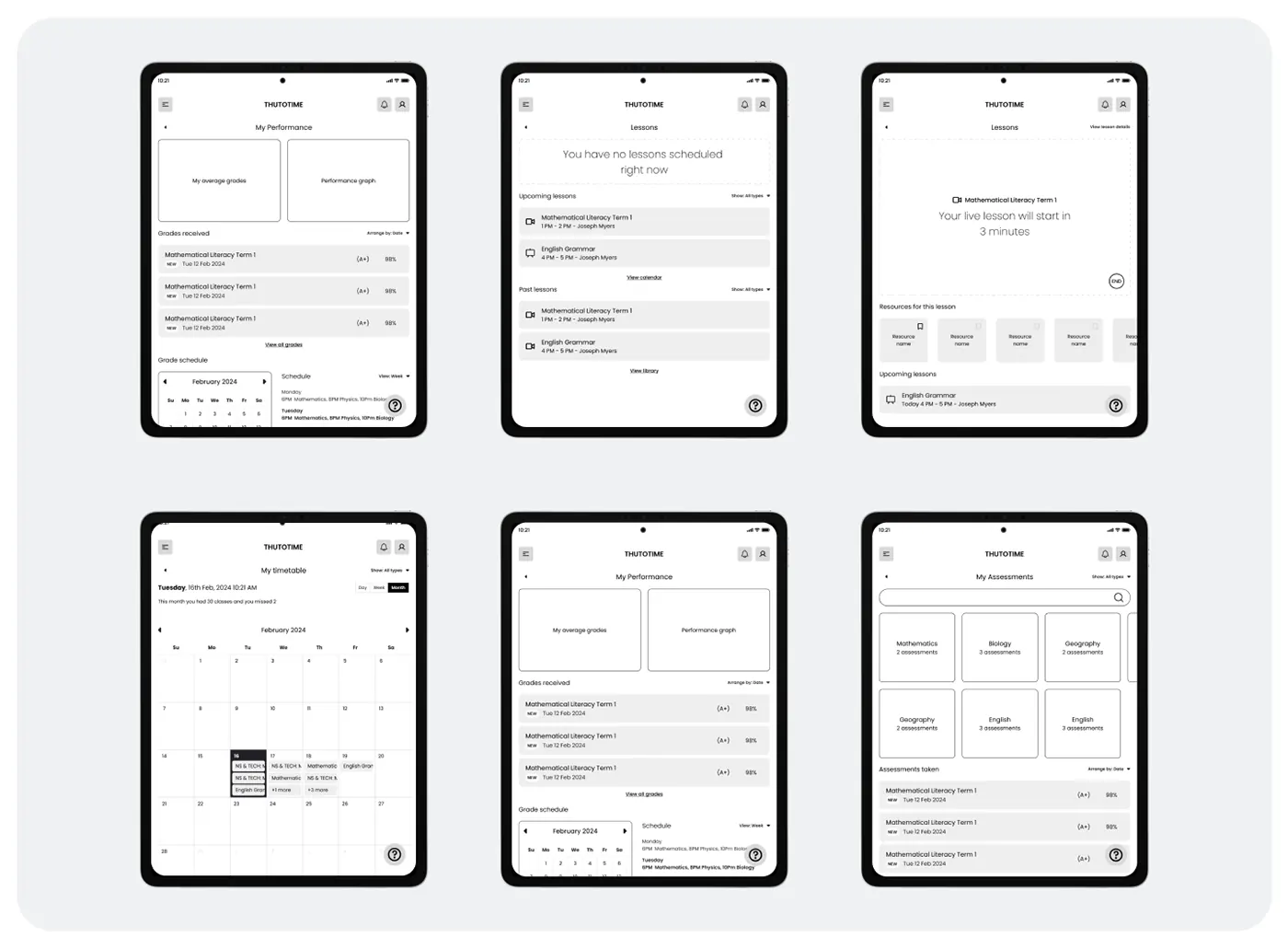
2. Wireframes
The problem. A student’s day is spread across lessons, grades, assessments and a timetable.
The solution. Wireframed tablet screens for Lessons, My timetable, My performance and My assessments, including an empty state and a countdown before a live lesson.
3. Visual system
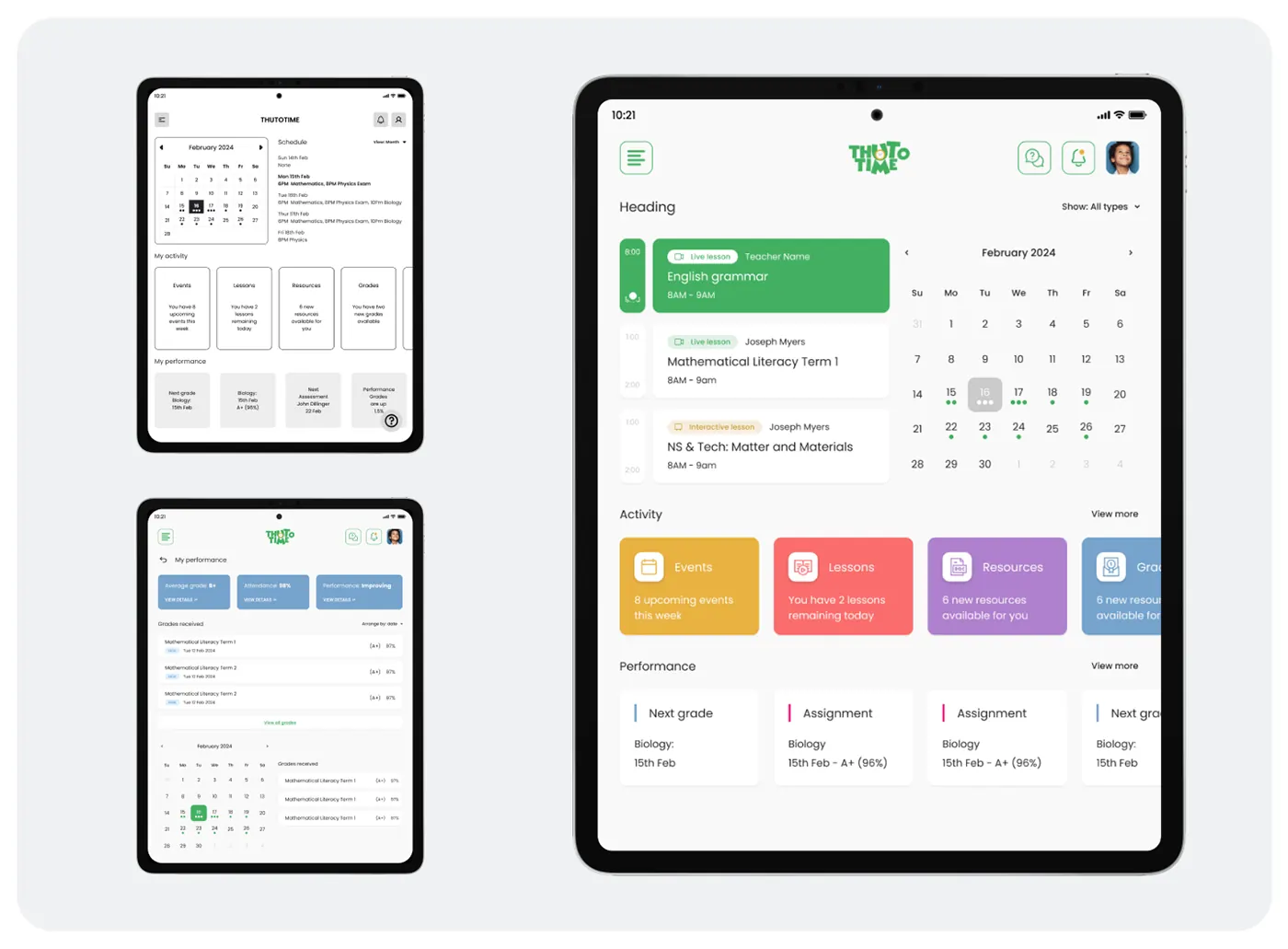
The problem. Live lessons, interactive lessons, resources, grades and assessments had to be told apart at a glance.
The solution. Built a component sheet with colour-coded tags, lesson cards and activity tiles for events, lessons, resources and grades.
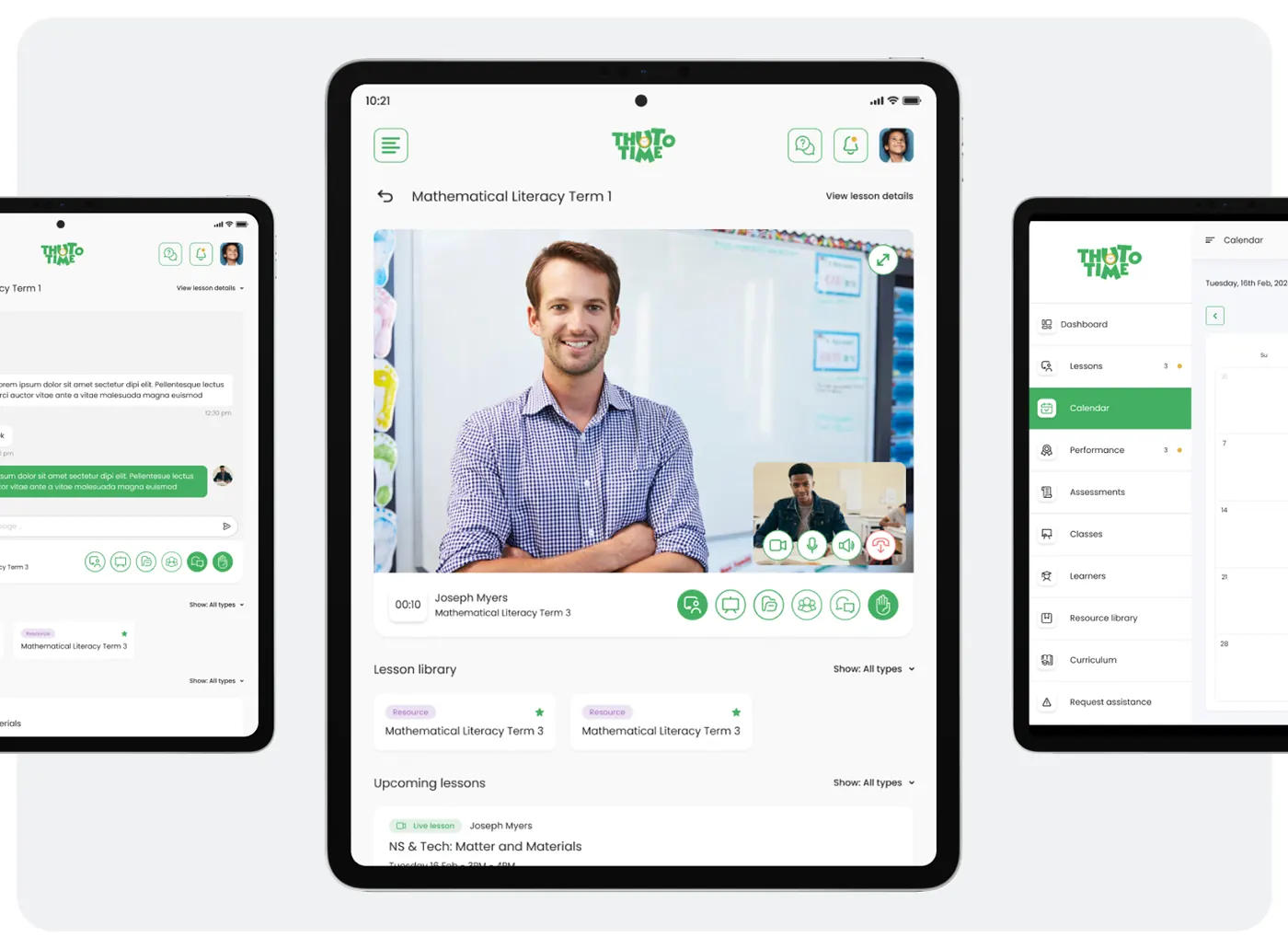
4. Live lesson
The problem. Students needed to take part in a lesson, not just watch it.
The solution. The live screen pairs teacher video with camera, mic, chat and raise-hand controls. The lesson library and upcoming lessons sit directly below.

5. Phone layouts
The problem. The tablet layout also had to work on smaller phone screens.
The solution. Reflowed the same components into phone screens for timetable, performance, resource library by subject and account settings.
6. Teacher console
The problem. Teachers needed to schedule lessons and follow each learner from one place.
The solution. A web console shows the day’s lessons with a Schedule new lesson action. During a lesson, a side panel lists learners with tests, results and curriculum units.
What the product does
- Live video lessons with chat and raised hands
- Timetable, attendance and performance
- Assessments and a resource library by subject
- Teacher console with learner management
The design system
Component sheet with colour-coded lesson tags, activity tiles and lesson cards. The design library on the project page rebuilds the lesson type tag, timed lesson card, activity tile and live lesson control bar as components with their variants.
The outcome
Classes that load fast and keep working on low-bandwidth connections, on shared tablets and phones. The live lesson, timetable and assessment flows were built as an interactive prototype and A/B tested before the final UI.
ThutoTime is one of four products, with Glimpse, Orbitra and Sunlight, behind 20–35% higher retention and up to 50% better conversion.
Questions about this work? Let’s talk it through.
Set a meeting