Designing a browser-based digital signage builder: Directable
One of the first browser-based builders for digital signage. How the SaaS web app was designed, phase by phase.
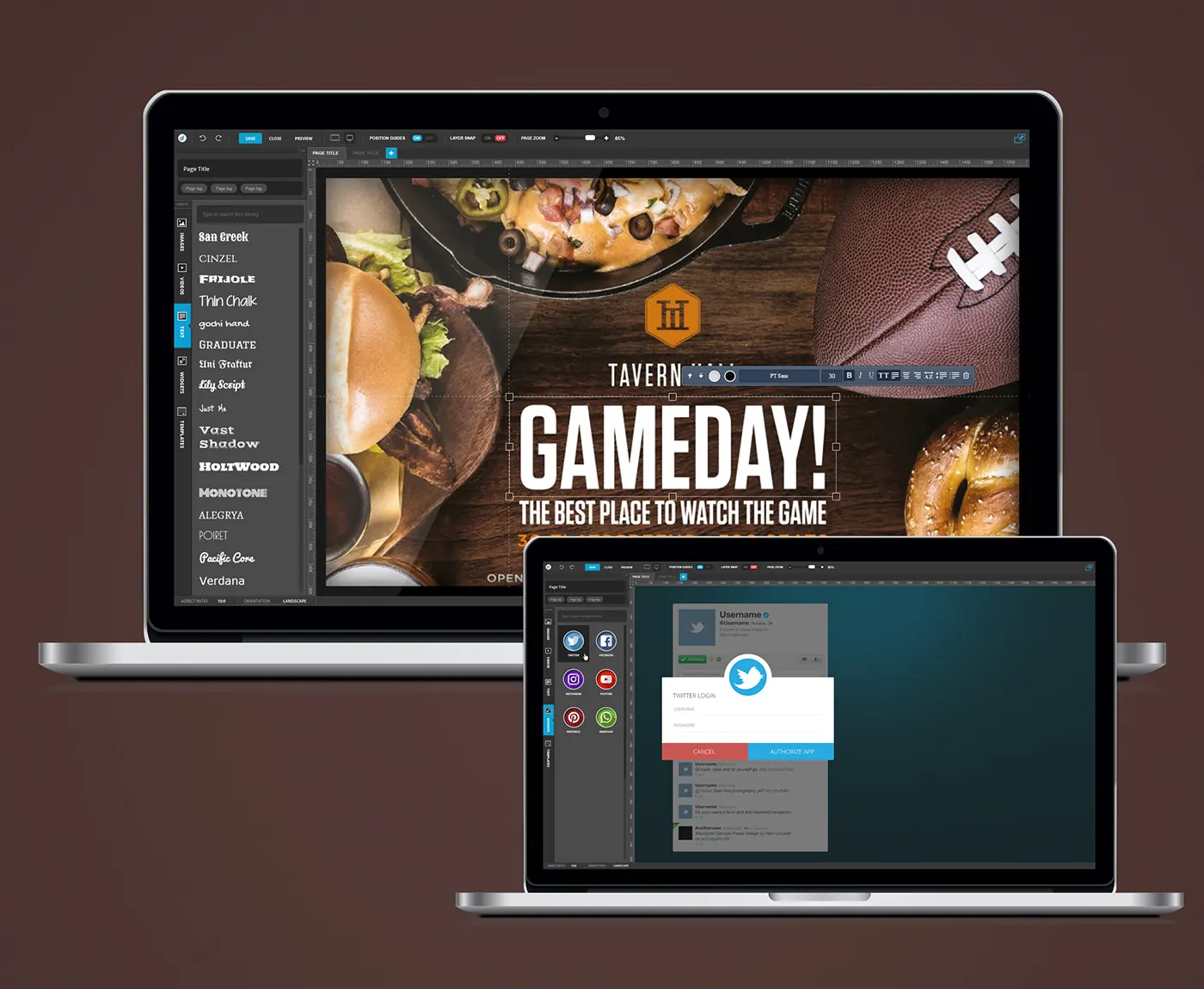
One of the first browser-based builders for digital signage.
Project at a glance
- Product: Directable, a SaaS web app
- Role: Lead UI/UX Designer
- Platform: Web
- Software: Photoshop, Illustrator
- Design system: Reusable visual templates and brand assets

The challenge
Making content for screens meant desktop tools and specialists. The company wanted anyone to build and schedule signage in the browser.
The UX approach
The work moved through 4 phases: browser canvas, content libraries, live widgets and screen formats.
1. Browser canvas
The problem. Making content for screens meant desktop tools and specialists.
The solution. Designed a browser-based slide editor with rulers, page zoom, position guides and layer snapping, plus save, close and preview in the top bar.
2. Content libraries
The problem. People without design training needed material ready to use.
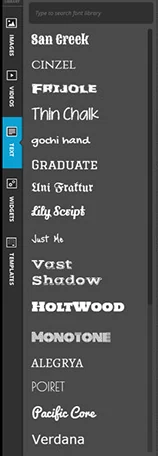
The solution. A side rail holds libraries for images, videos, text, widgets and templates. Text comes with a searchable font library and an inline formatting bar.
3. Live widgets
The problem. Signage goes stale when every update has to be made by hand.
The solution. Social widgets for Twitter, Facebook, Instagram, YouTube and Pinterest pull live feeds, with account authorisation handled inside the editor.
4. Screen formats
The problem. Every screen has its own shape and orientation.
The solution. Aspect ratio and orientation are set per slide from the editor footer, so the canvas matches the screen it will play on.
What the product does
- Canvas slide editor with guides and layer snapping
- Libraries for images, video, text, widgets and templates
- Social media widgets with live feeds
- Aspect ratio and orientation for each screen
The design system
Reusable visual templates and brand assets. The design library on the project page rebuilds the inline text toolbar, on/off switch and library rail tab as components with their variants.
The outcome
The builder helped the platform grow to enterprise adoption. Reusable templates sped up every product update, and the roadmap and MVP were shaped with the founders from user feedback.
Questions about this work? Let’s talk it through.
Set a meeting