Zentra
An AI-powered ticket dashboard for hotels with many locations.
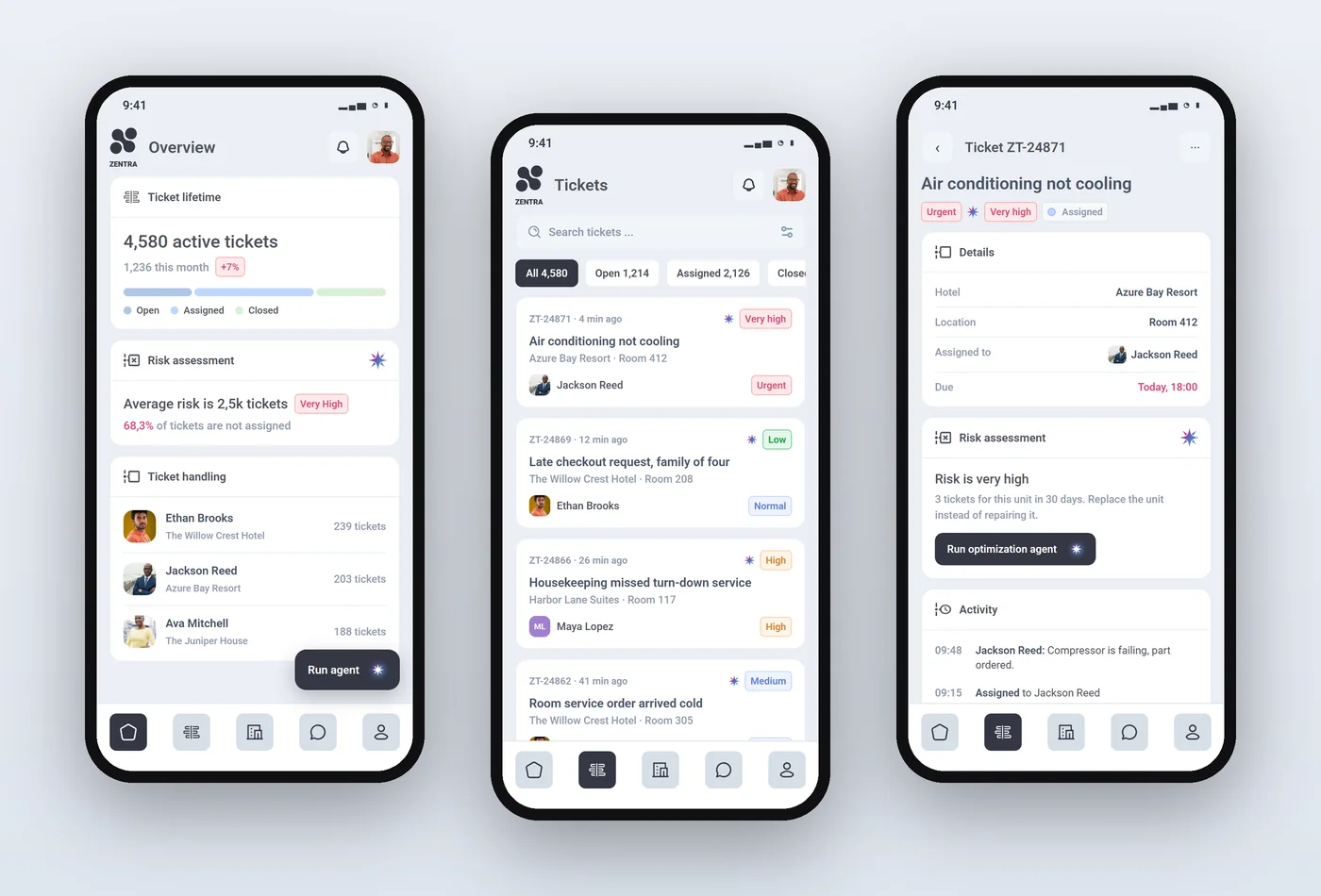
Mainly a web app with a mobile fallback. Later boards show more screens designed in the same style.
Read the case study: how it was designed →
- Role
- UI/UX Designer
- Platform
- Web
- Software
- Figma
- Design system
- Light canvas, white cards, pastel data colours and a marker for AI features
Try the prototype
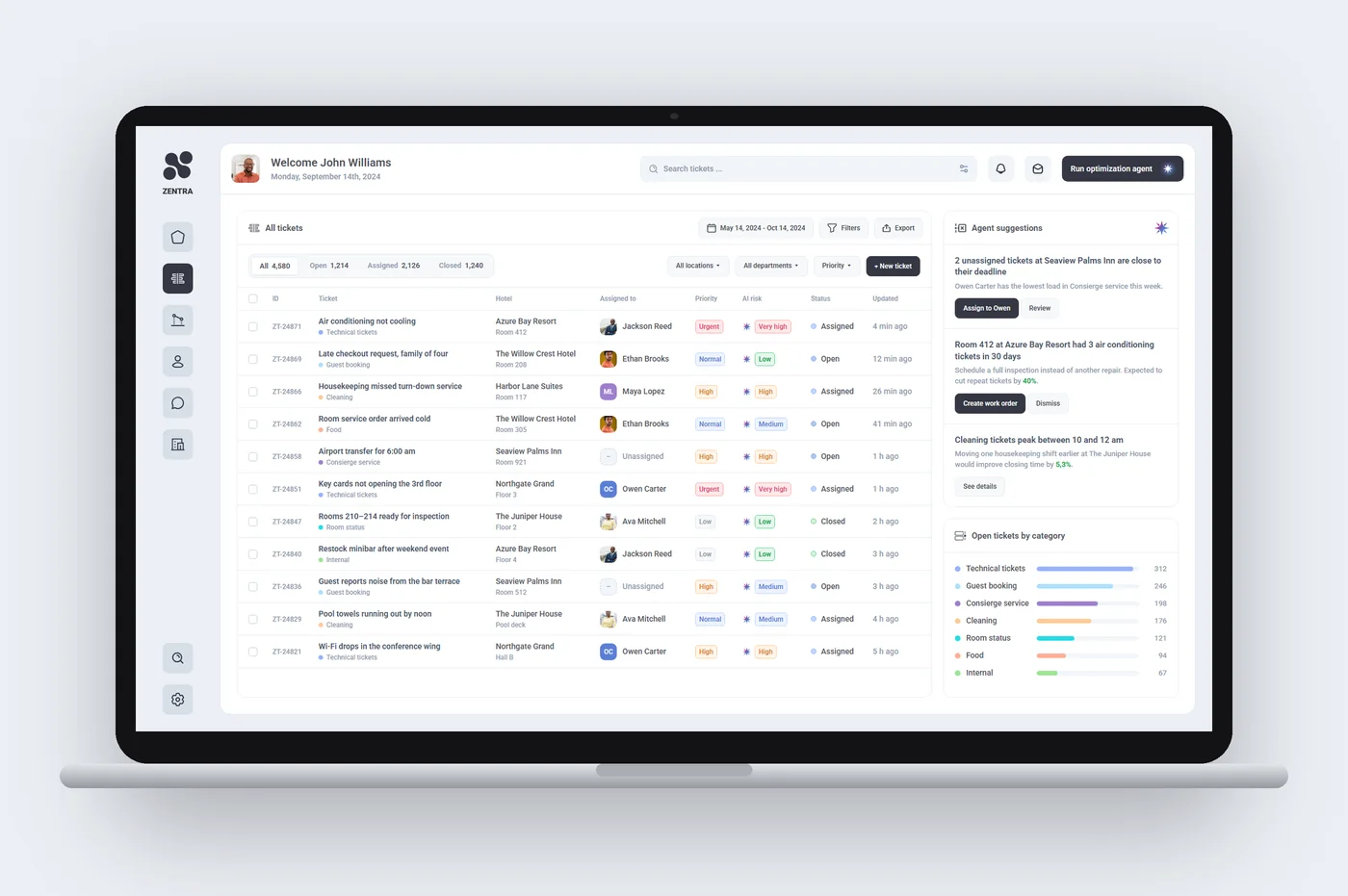
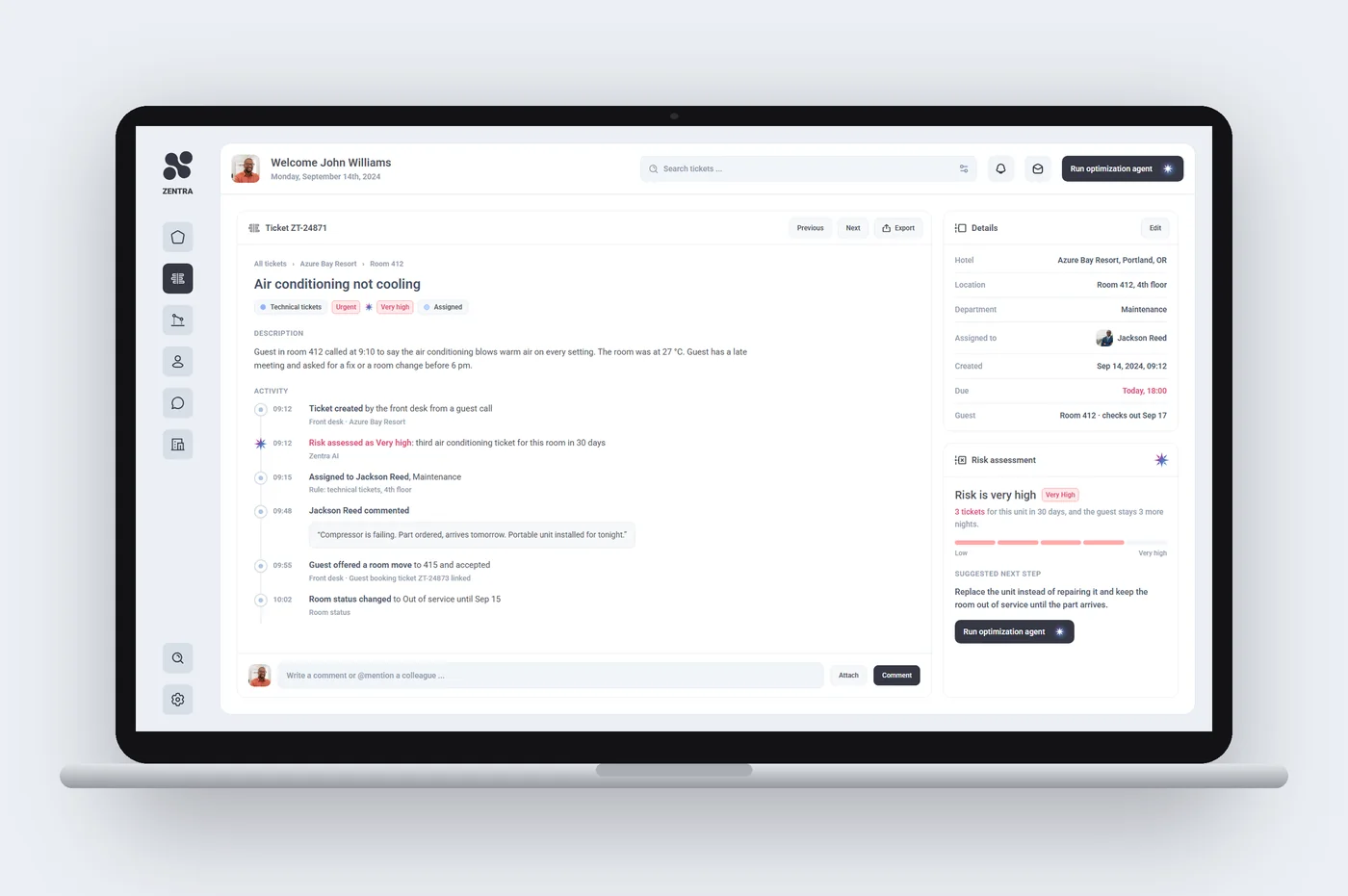
An AI ticket dashboard for hotel groups, built from the Figma board. Hover the charts to read them, switch the series in the legend, open a ticket to see its AI risk assessment, and run the optimization agent to watch it rebalance the workload across your hotels.
Everything on the dashboard reacts to hover and click. The sidebar opens the ticket list, staff and locations.
Best on a laptop or desktop screen.
The problem
Hotel managers running several properties needed one place to create, track and resolve service, maintenance and guest tickets, with consistency and accountability across locations.
Features
- ·AI-based throughout: risk assessment and performance scoring on tickets, plus an embedded optimisation agent run from the dashboard
- ·Interactive prototype of the dashboard, the ticket list and ticket detail with AI risk assessment
- ·Ticket lifetime and closing charts
- ·AI risk and performance insights
- ·Tickets by staff and hotel
- ·Ticket portfolio by category
Approach
- 01
Scope
ProblemManagers running several hotels deal with service, maintenance and guest tickets spread across properties and teams.
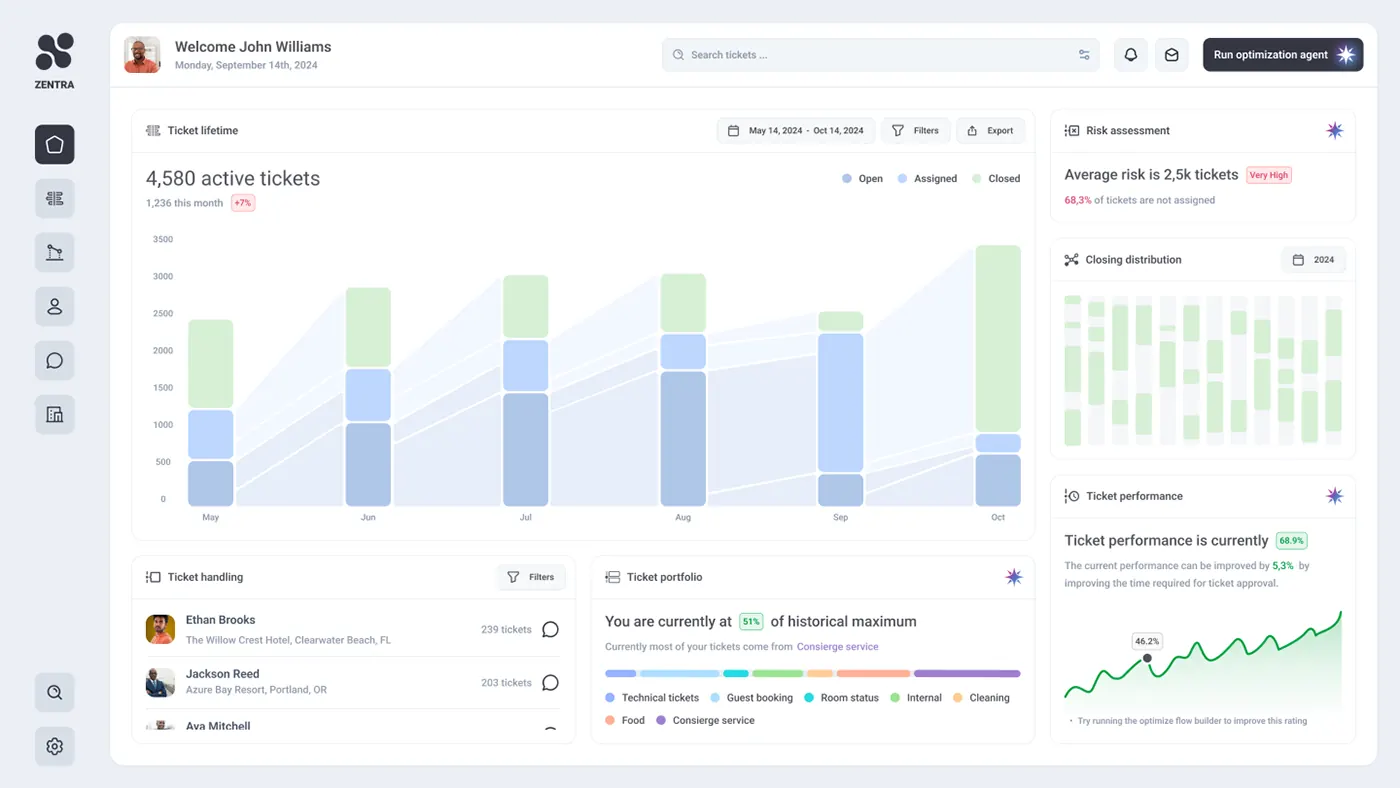
SolutionFramed the product around one web dashboard for every location, with a single ticket search and a short sidebar for the deeper sections.
- 02
Ticket volume
ProblemA total ticket count hides whether work is piling up or getting closed.
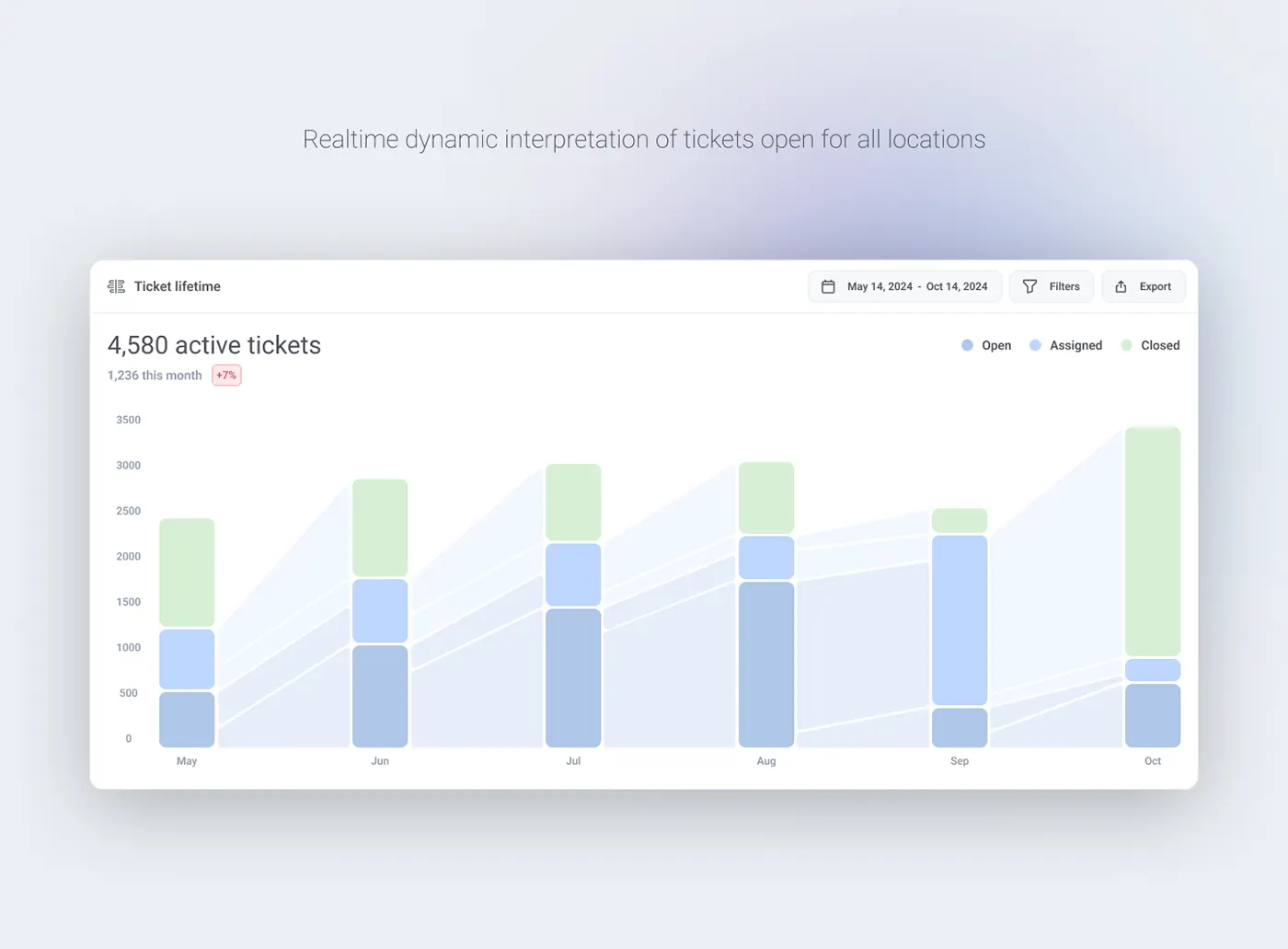
SolutionThe Ticket lifetime chart stacks Open, Assigned and Closed per month, with bands linking months to show flow. Date range, filters and export sit on the card.
- 03
Accountability
ProblemConsistency across locations depends on seeing who handles what and where requests come from.
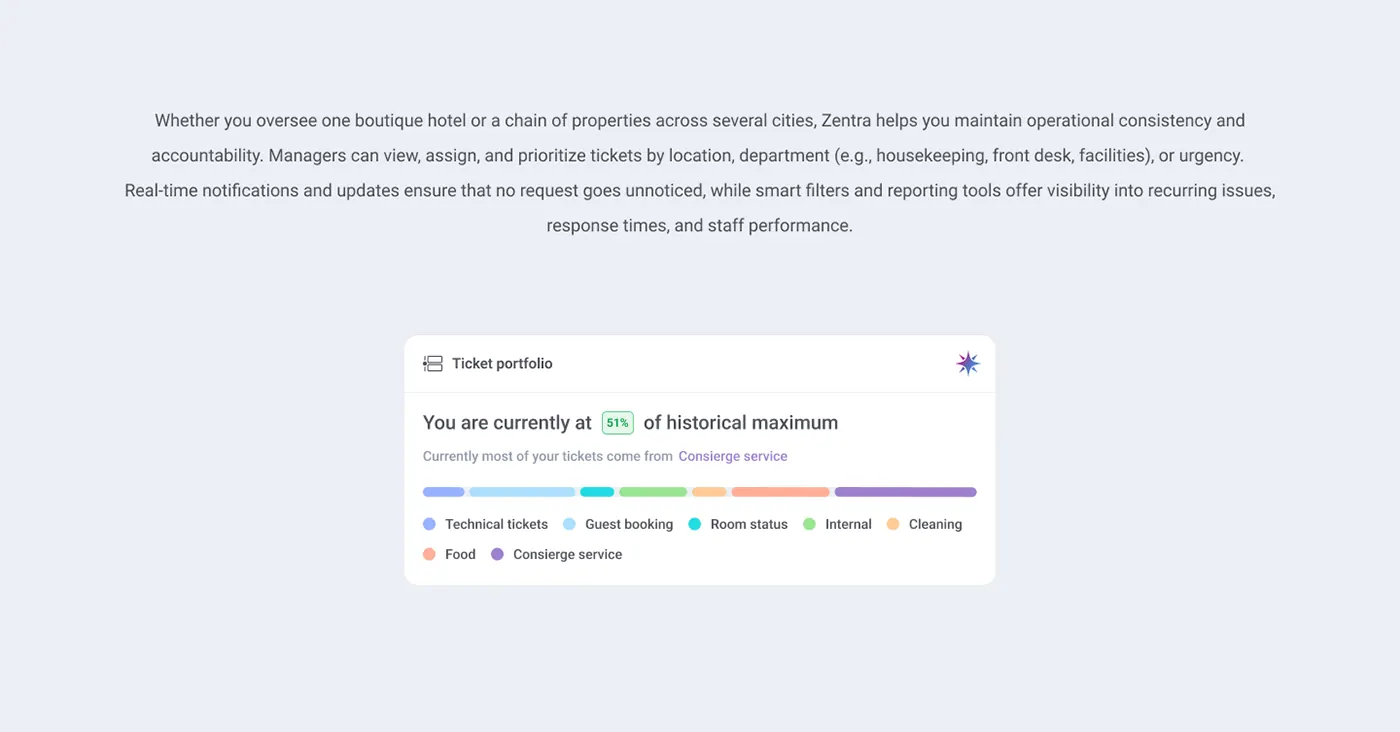
SolutionTicket handling lists each staff member with their hotel, ticket count and a message shortcut. Ticket portfolio splits volume into categories such as cleaning, food and concierge.
- 04
AI insights
ProblemAI output needed to be recognisable and lead to an action, not read as one more chart.
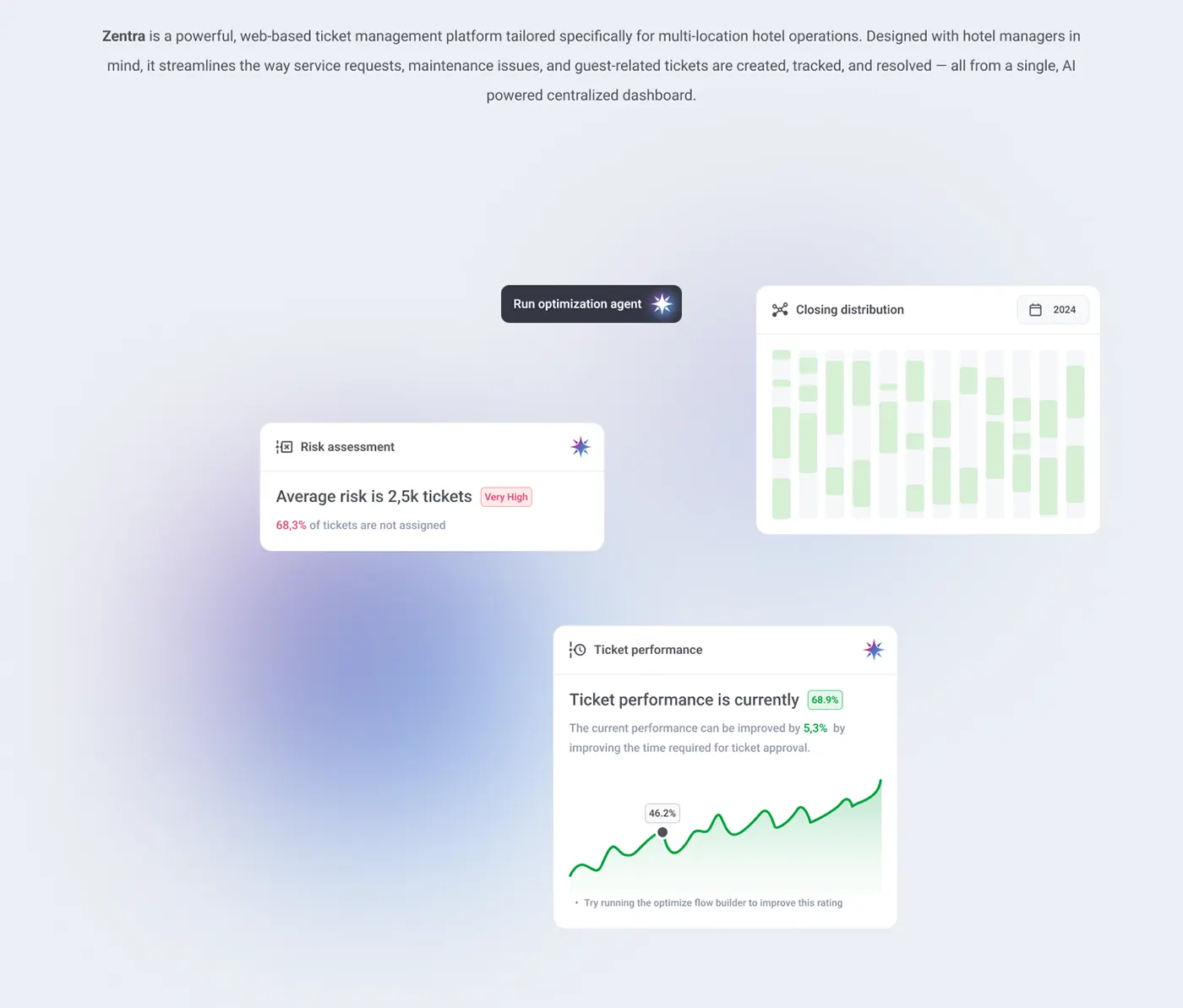
SolutionAI cards such as Risk assessment and Ticket performance carry a star marker and a plain-sentence finding with a suggested fix. A Run optimization agent button sits in the header.
- 05
Visual system
ProblemA dense, data-heavy screen risked feeling noisy for daily use.
SolutionUsed a light canvas, white cards and pastel data colours, keeping strong colour for small status badges and the AI marker.


Design library
- Ink slate#343743Primary buttons, nav
- Mist canvas#EBEFF4Page background
- Open blue#B5C5E1Open tickets
- Closed mint#D7F0D6Closed tickets
- Risk rose#DB3161Risk and alerts
- Growth green#3AB76APositive change
- AI violet#576DBBAI marker
- Display · 22/4004,580 active tickets
- Title · 15/500Ticket lifetime
- Body · 13/40068,3% of tickets are not assigned
- Caption · 11/5001,236 this month
Toolbar button
Date range, filter and export controls on every chart card.
- Container
- Leading icon
- Label
Change badge
Outlined value tag beside headlines and totals; tone follows what the number means.
- Outline container
- Value
AI insight card
One finding in a sentence, the number that backs it and a suggested next step.
The current performance can be improved by 5,3% by improving the time required for ticket approval.
• Try running the optimize flow builder to improve this rating
Currently most of your tickets come from Concierge service
The current performance can be improved by 5,3% by improving the time required for ticket approval.
• Try running the optimize flow builder to improve this rating
- Card
- Header
- Type icon
- Title
- AI marker
- Finding + badge
- Supporting text
- Visual
- Hint
The current performance can be improved by 5,3% by improving the time required for ticket approval.
• Try running the optimize flow builder to improve this rating
Currently most of your tickets come from Concierge service
Staff ticket row
Who is handling tickets, where, how many, with a direct message action.
- Row
- Avatar
- Name
- Hotel and location
- Ticket count
- Message action